
Why Food Thumbnails Are So Powerful
When it comes to food content, visuals are everything. People “eat with their eyes” first, and your thumbnail is the first taste of your video.
A high-quality food thumbnail can:
- Instantly grab attention
- Make viewers feel hungry or curious
- Increase click-through rate (CTR)
- Build trust and professionalism
- Showcase the quality of your content
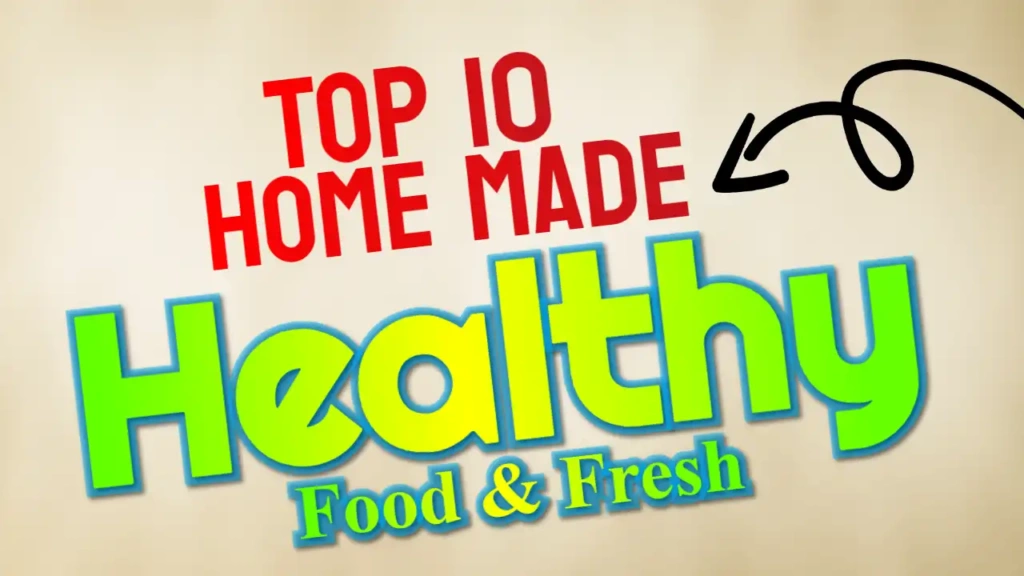
The “Food” template is crafted to trigger these reactions and encourage viewers to click on your video.
Key Features of the “Food” Thumbnail Template
This template is designed with both aesthetics and performance in mind.
1. Appetizing Color Combination
The use of red, green, and white is perfect for food-related content:
- Red stimulates appetite and excitement
- Green represents freshness and health
- White keeps the design clean and balanced
These colors work together to create a visually delicious thumbnail.
2. Health-Style Font
The template uses a Health-inspired font, making it ideal for:
- Healthy recipes
- Diet plans
- Organic food content
- Fitness meal prep videos
The font is clean, readable, and modern, ensuring your message is clear.
3. Clean and Tasty Layout
The layout focuses on:
- Highlighting the food image
- Clear text placement
- Balanced spacing
This ensures your thumbnail looks professional without feeling cluttered.
4. Mobile-Friendly Design
Most viewers watch YouTube on mobile devices. This template is optimized to look great even on small screens.
Who Should Use This Template?
The “Food” thumbnail template is perfect for:
- Cooking channels
- Recipe creators
- Street food vloggers
- Food review channels
- Healthy lifestyle influencers
- Diet and fitness content creators
If your content involves food in any way, this template is a great choice.
How to Customize the Template
You don’t need any design experience to create a professional thumbnail using this template.
Step 1: Open the Template
Use the link below to access the template in the editor.
Step 2: Add Your Food Image
Upload a high-quality image of your dish. Make sure:
- The food looks fresh and appealing
- Lighting is bright and natural
- The image is sharp and clear
Step 3: Edit the Text
Customize the text based on your video topic. For example:
- “Easy Dinner Recipe”
- “Healthy Breakfast Ideas”
- “Street Food Tour”
- “Quick & Tasty Meal”
Keep the text short and engaging.
Step 4: Adjust Colors (Optional)
You can slightly modify the colors to match your branding while keeping the overall theme intact.
Step 5: Download Your Thumbnail
Once your design is complete, download it in high resolution and upload it to YouTube.
Tips for Creating Mouth-Watering Thumbnails
To get the best results, follow these tips:
Use High-Quality Food Images
Blurry or dull images won’t attract viewers. Use bright, clear, and colorful photos.
Focus on Presentation
Arrange food neatly and make it look visually appealing.
Highlight Texture and Detail
Close-up shots of food textures (like melted cheese or crispy layers) perform very well.
Keep Text Minimal
Use short phrases that create curiosity.
Add Contrast
Make sure your text stands out clearly from the background.
Benefits of Using ThumbzStudio Templates
ThumbzStudio templates are designed to make your life easier.
Here’s why they’re so useful:
- Beginner-friendly interface
- No design skills required
- Quick editing process
- Professional-quality results
- Free to use
You can create stunning thumbnails without spending hours designing.
Boost Your Food Channel Growth
A great thumbnail can significantly improve your video performance. It helps your content stand out and attract more viewers.
The “Food” template helps you:
- Increase click-through rate
- Attract food lovers
- Build a consistent brand
- Improve overall engagement
If you want to grow your food channel, investing in high-quality thumbnails is essential.
Free Download – Start Designing Today
Ready to create a mouth-watering thumbnail?
👉 Use the template here:
https://www.thumbzstudio.com/template/350c0c53-7615-4c7e-9a63-8b97f62bb848
Customize it easily and download your thumbnail for free.