
Why Live Stream Thumbnails Matter
When users browse YouTube for live gaming content, they often decide which stream to watch based on the thumbnail before reading the title. A visually appealing thumbnail immediately communicates excitement, quality, and professionalism.
Using a high-quality live stream thumbnail can help you:
- Increase your click-through rate (CTR)
- Attract more live viewers
- Improve your channel’s branding
- Stand out in YouTube recommendations
- Create a professional first impression
An attractive thumbnail paired with engaging gameplay can help your live streams reach a much larger audience.
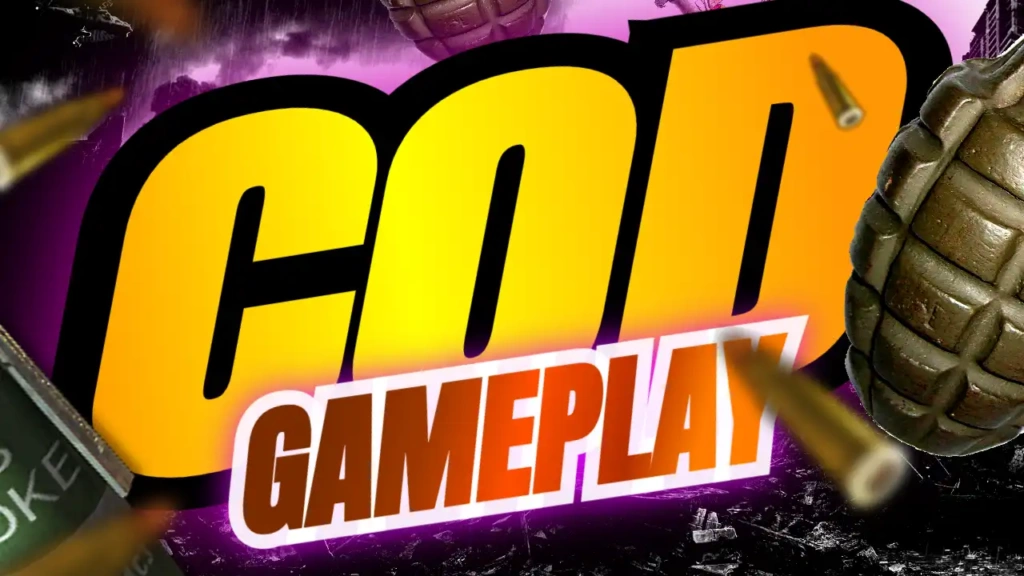
Features of the COD Call of Duty Live Stream Thumbnail Template
Modern Gaming Layout
This template is designed with a clean and balanced layout that highlights your stream title while leaving room for gameplay screenshots, operators, weapons, or action scenes. The design looks great across desktop, tablet, and mobile devices.
Bold Yellow and Blue Color Combination
The carefully selected color palette creates a strong visual impact.
- Yellow attracts attention and highlights key text.
- Blue adds a modern, energetic gaming atmosphere.
Together, these colors create excellent contrast that helps your thumbnail stand out in YouTube feeds.
Professional Life Style Font
The Life Style-style font offers a fresh, clean appearance that complements modern gaming content. It is highly readable, making it easy for viewers to identify your stream title at a glance.
The font works well for:
- Live streams
- Multiplayer gameplay
- Ranked matches
- Warzone gameplay
- Challenge videos
- Gaming tutorials
- Community events
- Seasonal updates
- Weapon guides
- Gameplay highlights
Fully Editable Design
Every element can be customized inside the ThumbzStudio online editor.
You can modify:
- Title text
- Images
- Background
- Colors
- Effects
- Shapes
- Icons
- Layout
This allows you to personalize your thumbnail while maintaining a professional look.
Perfect for Multiple Gaming Videos
Although designed for Call of Duty Live Streams, this template can also be used for other gaming content.
Popular examples include:
- Multiplayer Gameplay
- Ranked Matches
- Warzone Streams
- Zombies Mode
- Campaign Walkthroughs
- Weapon Loadout Guides
- Gaming Highlights
- Live Community Events
- Season Updates
- Battle Pass Reviews
- FPS Tutorials
- Gaming Challenges
- Clutch Moments
- Squad Gameplay
The versatile design makes it useful for many FPS and action game creators.
How to Customize the Template
Creating your thumbnail is quick and easy.
Step 1: Open the Template
Access the template using the ThumbzStudio online editor.
Step 2: Edit the Headline
Replace the default text with your own stream title.
Examples include:
- Live Now
- COD Live
- Warzone Live
- Ranked Match
- Squad Stream
- Multiplayer Live
- Season Update
Keep your text short for maximum readability.
Step 3: Upload Your Gameplay Images
Use high-quality screenshots featuring:
- Operators
- Action scenes
- Weapons
- Vehicles
- Maps
- Victory screens
- Intense combat moments
Sharp visuals make your thumbnail more attractive.
Step 4: Customize the Colors
Adjust the colors to match your personal branding while maintaining strong contrast.
Step 5: Download
Once finished, download your thumbnail in high resolution and upload it to YouTube before starting your stream.
Tips for Better Gaming Live Stream Thumbnails
Professional gaming creators often use these best practices.
Use Short Headlines
Simple text performs better.
Examples include:
- Live Now
- Ranked
- Warzone
- Squad Up
- Epic Match
- New Season
Showcase Action
Choose exciting gameplay moments that capture viewers’ attention immediately.
Maintain Strong Contrast
Bright text against darker gameplay backgrounds improves readability.
Avoid Clutter
Keep the design focused on one main message.
Stay Consistent
Using a consistent thumbnail style helps viewers recognize your live streams more easily.
Why Choose ThumbzStudio?
ThumbzStudio helps creators design professional YouTube thumbnails quickly and efficiently.
Benefits include:
- Thousands of professionally designed templates
- Easy online editing
- No software installation required
- Beginner-friendly interface
- High-resolution downloads
- Fast customization
- Templates for gaming, business, education, technology, health, sports, music, food, automotive, lifestyle, marketing, and more
Whether you’re a new streamer or an experienced content creator, ThumbzStudio provides the tools you need to produce high-quality thumbnails in minutes.
Grow Your Gaming Channel
A professional thumbnail can significantly improve your live stream performance. Better thumbnails often lead to more clicks, higher viewer counts, stronger engagement, and increased subscriber growth.
The COD Call of Duty Live Stream YouTube Thumbnail Design helps you:
- Increase live stream visibility
- Build a recognizable gaming brand
- Save time creating thumbnails
- Produce consistent channel artwork
- Attract more Call of Duty viewers
Combined with entertaining gameplay and regular streaming, a strong thumbnail can help your gaming channel grow over time.
Free Download the COD Call of Duty Live Stream YouTube Thumbnail Design
Ready to create an eye-catching live stream thumbnail?
Use the COD Call of Duty Live Stream YouTube Thumbnail Design here:
Customize the template online for free, edit every design element, and download your completed thumbnail in high resolution.