Why Catchy Thumbnails Matter
YouTube is a visual platform. Before viewers read your title or description, they notice your thumbnail. A catchy thumbnail can instantly spark curiosity and convince someone to click on your video.
A strong thumbnail helps you:
- Increase click-through rate (CTR)
- Stand out from competitors
- Communicate your message quickly
- Build a recognizable brand
Without a compelling thumbnail, even the best videos can go unnoticed.
Overview of the Template Design
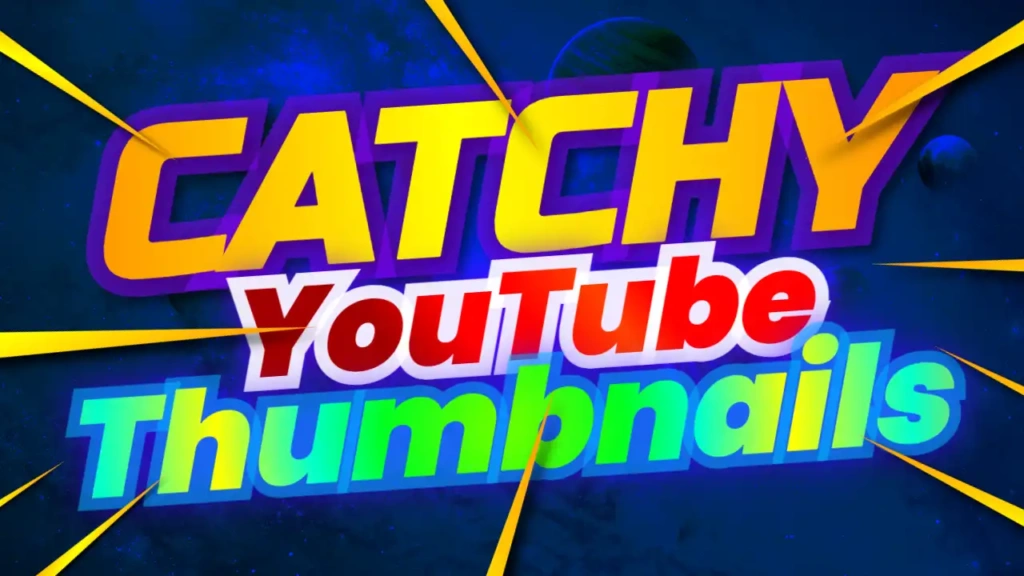
The Catchy YouTube Thumbnail Design template is built for performance. The blue, yellow, and red color scheme creates a vibrant and energetic look that naturally attracts attention.
Key Features:
- Bright blue, yellow, red color palette
- Clean and bold Marketing font style
- Structured layout for clear messaging
- Fully customizable design elements
- Optimized for maximum engagement
Color Psychology Behind the Design
Colors play a crucial role in viewer behavior. This template uses a powerful combination to maximize impact:
- Blue – Builds trust and professionalism
- Yellow – Grabs attention and adds energy
- Red – Creates urgency and excitement
Together, these colors create a high-contrast design that stands out in YouTube feeds.
Typography That Drives Clicks
The Marketing-style font used in this template is clean, bold, and easy to read. It ensures that your message is clear even at smaller sizes.
A catchy thumbnail needs text that is:
- Short and impactful
- Easy to read
- Visually strong
This template delivers all three.
Best Content Ideas for This Template
This template is extremely versatile and works across multiple niches:
- YouTube growth tips
- Marketing and business content
- Tutorials and how-to videos
- Tech and online tools
- Lifestyle and productivity videos
No matter your niche, this template helps you create thumbnails that attract attention.
How to Use the Template
Creating a professional thumbnail is simple:
Step 1: Open the Template
Access it here:
https://www.thumbzstudio.com/template/7b932c93-1356-4625-a2ed-a2443febe12b
Step 2: Customize Your Design
- Replace the text with your video title
- Add images, icons, or screenshots
- Adjust colors or effects if needed
Step 3: Download and Upload
Export your thumbnail and upload it to your YouTube video.
Pro Tips for Creating Catchy Thumbnails
To maximize your results, follow these proven strategies:
1. Keep It Simple
Avoid clutter. Focus on one main idea.
2. Use Bold Text
Short phrases like “FREE TEMPLATE” or “MUST WATCH” work well.
3. Add Visual Contrast
Make sure your text and images stand out clearly.
4. Use Arrows and Highlights
Guide the viewer’s attention to key elements.
5. Stay Consistent
Use a similar style across your thumbnails to build your brand.
Benefits of Using Free Thumbnail Templates
Using templates like this offers many advantages:
- Saves time and effort
- No design skills required
- Professional-quality results
- Easy customization
- Consistent branding
This allows you to focus more on creating valuable content.
Why Choose ThumbzStudio?
ThumbzStudio provides a wide range of high-quality YouTube thumbnail templates designed for creators in different niches. Their templates are optimized for performance, helping you increase visibility and engagement.
The “Catchy YouTube Thumbnail Design” template is perfect for creators who want to improve their thumbnails and grow their channel faster.