
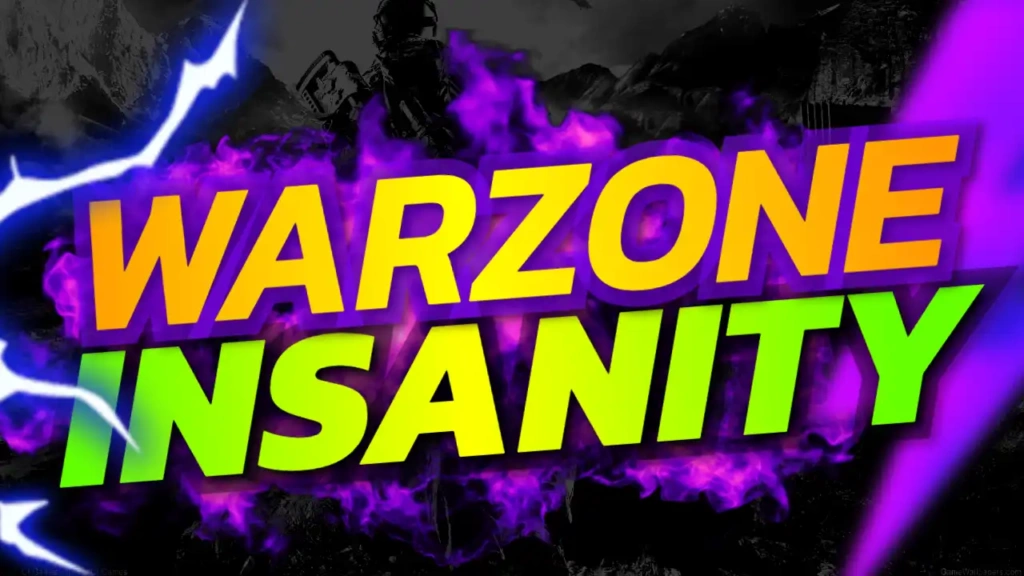
Why “Warzone Insanity” Content Gets Clicks
Gaming audiences love adrenaline. Videos that showcase insane moments—unexpected wins, crazy fights, or intense survival situations—naturally attract attention. The phrase “Warzone Insanity” immediately tells viewers that your content is packed with action and unpredictable gameplay.
This type of content performs well because it:
- Promises high-energy moments
- Builds curiosity and excitement
- Appeals to competitive players
- Highlights skill and chaos
A strong thumbnail enhances this message and makes your video impossible to ignore.
Overview of the Template Design
The Warzone Insanity thumbnail template is built for impact. The blue, green, and black color palette creates a cool yet intense visual style that fits perfectly with modern shooter and battle royale games.
Key Features:
- Bold blue, green, black color scheme
- Strong Sport and Fitness font style for dynamic text
- Clean, action-focused layout
- Fully customizable for any gaming niche
- Optimized for high click-through rate (CTR)
Color Psychology Behind the Design
Colors play a major role in how viewers perceive your content. This template uses a balanced combination to create both intensity and clarity:
- Blue – Represents focus, control, and strategy
- Green – Suggests survival, energy, and success
- Black – Adds depth, contrast, and a cinematic feel
Together, these colors create a professional and engaging look that stands out in YouTube feeds.
Typography That Matches the Action
The Sport and Fitness font style used in this template is bold, sharp, and energetic. It reflects the fast-paced nature of warzone-style gameplay and ensures your text is readable at any size.
“Warzone Insanity” is designed to be the focal point, instantly communicating the theme of your video.
Best Content Ideas for This Template
This template is perfect for:
- Battle royale gameplay (Warzone, PUBG, Fortnite)
- Insane kill streaks and highlights
- Clutch wins and last-second victories
- High-skill competitive matches
- Funny chaotic gaming moments
It works especially well for content that focuses on action and unpredictability.
How to Use the Template
Creating a professional thumbnail is quick and easy:
Step 1: Open the Template
Access it here:
https://www.thumbzstudio.com/template/5aca4724-ee49-4ad0-9644-3dc0dd5019cc
Step 2: Customize Your Design
- Replace the text with your video title or variation
- Add your gameplay screenshot showing intense action
- Adjust colors, lighting, or effects if needed
Step 3: Download and Upload
Export your thumbnail and upload it to your YouTube video.
Pro Tips to Increase Click-Through Rate
To get the best results, follow these strategies:
1. Capture Intense Moments
Use screenshots with explosions, fights, or dramatic scenes.
2. Keep Text Short and Bold
Simple phrases like “INSANE!” or “UNBELIEVABLE!” work well.
3. Use Motion Effects
Blur, glow, or light streaks can enhance the feeling of action.
4. Highlight Key Elements
Use arrows or circles to draw attention to important details.
5. Stay Consistent
Use similar styles across your thumbnails to build your brand.
Benefits of Using Free Thumbnail Templates
Free templates like this one provide major advantages:
- Save time and effort
- No design skills needed
- Professional-quality results
- Easy customization
- Consistent branding
This allows you to focus more on creating exciting gameplay content.
Why Choose ThumbzStudio?
ThumbzStudio offers a wide range of YouTube thumbnail templates designed for creators across multiple niches. Each template is optimized to help you increase visibility and engagement.
The “Warzone Insanity” template is perfect for gamers who want to showcase action-packed content and attract more viewers.