
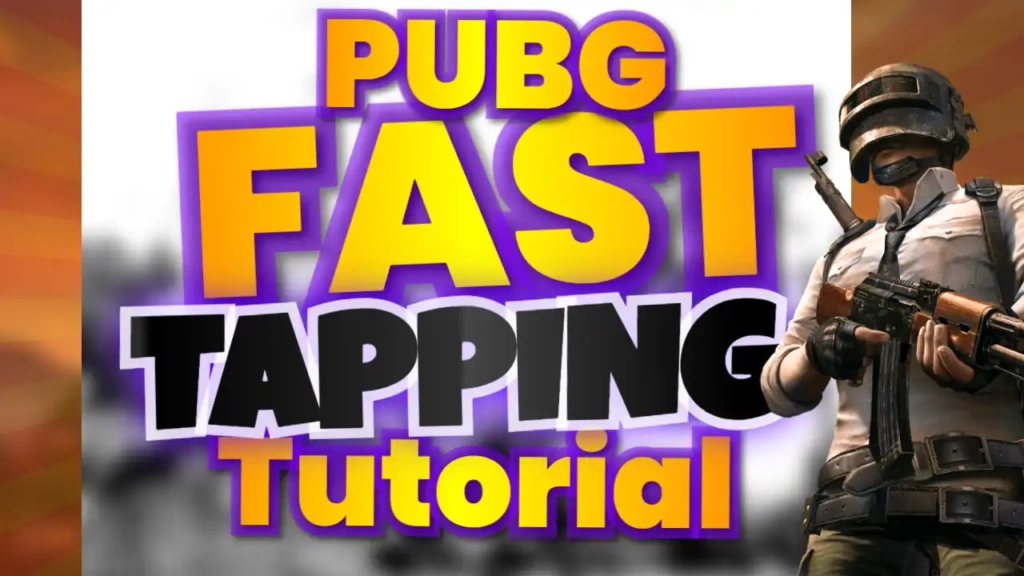
Why Thumbnails Matter in PUBG Content
PUBG content is fast-paced and highly competitive. Viewers often decide whether to click a video within seconds. A great thumbnail can:
- Highlight the intensity and excitement of gameplay
- Show off epic moments, kills, or achievements
- Increase click-through rates (CTR)
- Build recognition for your channel
- Encourage viewers to watch and share your content
Without a strong thumbnail, even the most epic PUBG plays can go unnoticed.
Features of the “Gameplay PUBG YouTube Thumbnail Tips and Tricks Design” Template
This template is tailored for gaming creators who want to attract attention quickly. Key features include:
🟡 Bold Yellow Highlights
Yellow grabs attention immediately. It works well for emphasizing key words like “Tips,” “Tricks,” or “Epic Kill.”
🟢 Green Accents
Green adds vibrancy and contrast, making elements stand out against darker PUBG backgrounds.
🖋 Sport & Fitness Font Style
The bold and dynamic font mirrors the energy and movement of gameplay, ensuring text is readable even on small screens.
🎮 Gameplay-Focused Layout
The template layout is designed to:
- Feature in-game action shots
- Highlight your player character or epic moments
- Include tips or key phrases
- Draw attention to important text elements
This makes your thumbnail instantly clickable.
How to Edit This Thumbnail Template
You don’t need professional design skills to create an eye-catching PUBG thumbnail. Follow these simple steps:
- Click the template link above.
- Open it in the ThumbzStudio editor.
- Replace the default text with your own (e.g., “PUBG Tips & Tricks” or “Epic Wins Compilation”).
- Upload your in-game screenshot or character image.
- Adjust colors, text, or layout if needed.
- Download your thumbnail in high resolution.
Your professional-looking thumbnail is ready in minutes.
Tips to Make Your PUBG Thumbnail Go Viral
Using the template is only part of the strategy. Here’s how to maximize engagement:
1. Focus on Epic Moments
Show intense gunfights, high-kill games, or dramatic escapes.
2. Use Short, Bold Text
Keep your text impactful:
- “PUBG Tips”
- “Epic Win”
- “Top Tricks”
3. Include Player Reaction Faces
Emotions like excitement or shock increase clicks.
4. Add Visual Indicators
Arrows, circles, or highlights can guide viewer attention to important elements.
5. Maintain High Contrast
Ensure your text stands out clearly against the in-game background.
Best Content Ideas for This Template
The “Gameplay PUBG YouTube Thumbnail Tips and Tricks Design” template works perfectly for:
- Gameplay tutorials and guides
- Tips and tricks videos
- Epic kills or clutch moments
- Challenge compilations
- Rank-up or tournament highlights
- Funny PUBG moments
It’s ideal for both beginner and advanced PUBG content creators.
Why Choose ThumbzStudio
ThumbzStudio simplifies the thumbnail creation process while maintaining high-quality results.
Benefits include:
- ✅ Easy drag-and-drop editor
- ✅ Fully customizable templates
- ✅ No design skills required
- ✅ Fast and free downloads
- ✅ Professional-quality visuals
Spend less time designing and more time creating epic content.
SEO Benefits of High-Quality Gaming Thumbnails
A well-designed thumbnail can significantly improve video performance on YouTube:
- Higher click-through rates (CTR)
- Better rankings in search and recommended feeds
- Increased impressions and watch time
- Greater engagement and shares
- Stronger channel growth
In the gaming niche, these advantages are essential for standing out.