
Why Gaming Thumbnails Are So Important
When viewers browse YouTube, they make split-second decisions about which video to watch. Your thumbnail is the first thing they notice—even before the title.
A strong gaming thumbnail can:
- Increase your click-through rate (CTR)
- Attract the right audience
- Showcase the excitement of your gameplay
- Build your channel’s identity
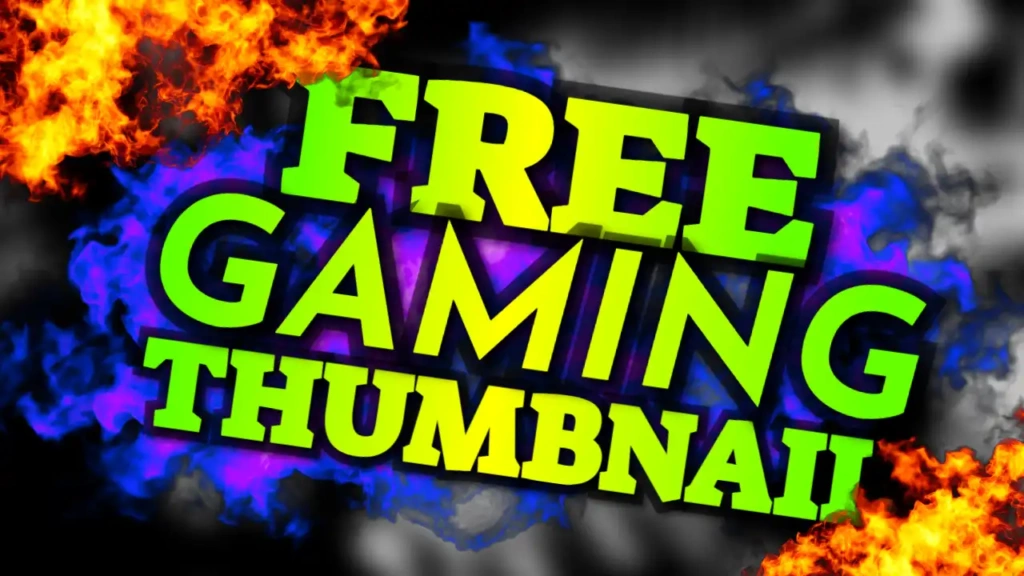
The “Free Gaming” template is built to achieve all of these goals by combining bold colors, clean design, and high readability.
Key Features of the “Free Gaming” Template
This template is carefully designed for maximum impact in the gaming niche.
1. Vibrant Color Combination
The use of blue, green, and yellow creates a visually striking design:
- Blue gives a cool, tech-inspired feel
- Green adds energy and freshness
- Yellow highlights important elements and grabs attention
These colors work together to make your thumbnail pop on both desktop and mobile screens.
2. Modern Tech-Style Font
The template uses a Tech-style font, giving it a futuristic and gaming-focused appearance. This makes your content look more professional and relevant to the gaming audience.
3. Gamer-Friendly Layout
The layout is optimized for gaming visuals:
- Space for character or gameplay image
- Bold headline placement
- Clean structure for easy viewing
This ensures your thumbnail communicates your video’s message instantly.
4. High Visibility Design
Every element is designed to stand out—even at smaller sizes. This is essential because most viewers browse YouTube on mobile devices.
Who Should Use This Template?
The “Free Gaming” thumbnail template is perfect for:
- Gaming YouTubers
- Streamers and content creators
- eSports content creators
- Mobile gaming channels
- PC and console gamers
- Walkthrough and tutorial creators
No matter what type of gaming content you create, this template can enhance your video’s visual appeal.
How to Customize the Template
You don’t need any design experience to use this template. Follow these simple steps:
Step 1: Open the Template
Access the template using the link provided below.
Step 2: Add Your Gameplay Image
Upload a high-quality screenshot or character image from your game. Make sure:
- The image is clear and sharp
- The subject is easily recognizable
- The colors match the overall theme
Step 3: Edit the Text
Customize the “Free Gaming” text to match your video. You can use variations like:
- “Free Fire Gameplay”
- “Best Gaming Moments”
- “Top 10 Gaming Tips”
Keep it short and impactful for better results.
Step 4: Adjust Colors if Needed
You can tweak the colors slightly to match your channel branding, but the default palette is already optimized.
Step 5: Download Your Thumbnail
Once your design is ready, download it in high resolution and upload it to your YouTube video.
Tips for Creating High-Performing Gaming Thumbnails
To get the best results from this template, follow these proven tips:
Use High-Quality Screenshots
Blurry images reduce credibility. Always use sharp and high-resolution visuals.
Highlight Action Moments
Choose exciting scenes—explosions, wins, intense fights, or rare moments.
Keep Text Minimal
Use 2–4 words to maintain clarity and readability.
Add Emotion or Reaction
If possible, include facial reactions or expressive characters.
Stay Consistent
Use a similar style across your thumbnails to build brand recognition.
Benefits of Using ThumbzStudio Templates
ThumbzStudio makes thumbnail creation simple and efficient.
Here’s why creators love it:
- Easy to use for beginners
- No software installation required
- Professional-quality designs
- Quick customization process
- Completely free
You can create eye-catching thumbnails without spending hours on design.
Grow Your Gaming Channel Faster
A great thumbnail can make a huge difference in your channel’s growth. It helps your videos stand out, attract more clicks, and reach a wider audience.
The “Free Gaming” template helps you:
- Improve your video performance
- Attract more viewers
- Build a strong gaming brand
- Increase engagement and watch time
If you’re serious about growing your gaming channel, investing time in thumbnails is essential—and this template makes it easy.
Free Download – Start Creating Now
Ready to create an eye-catching gaming thumbnail?
👉 Use the template here:
https://www.thumbzstudio.com/template/d38a2ca6-a006-4377-948f-dfe707f6b5a0
Customize it in minutes and download your thumbnail for free.