
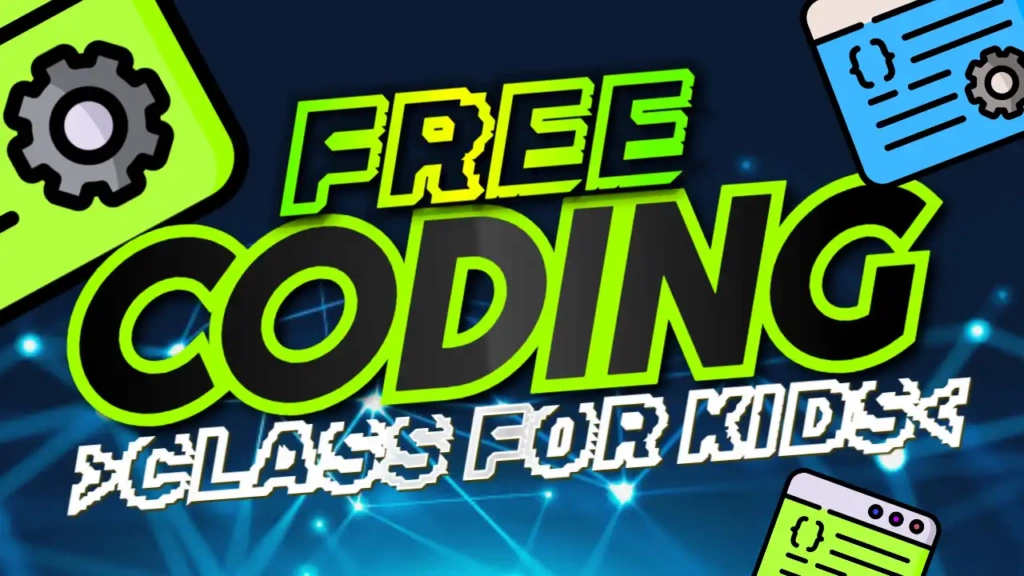
Why Educational Thumbnails Matter
When it comes to educational content, especially for kids, first impressions are crucial. Parents and children are more likely to click on videos that look clear, colorful, and trustworthy.
A well-designed thumbnail:
- Increases click-through rate (CTR)
- Builds trust with viewers
- Communicates the topic instantly
- Makes learning feel fun and approachable
The “Free Coding Class for Kids” template is specifically designed to achieve these goals.
Bright and Kid-Friendly Design
This template uses a carefully selected color combination to create a positive and engaging visual experience:
- Blue represents trust and knowledge
- Green symbolizes growth and learning
- Yellow adds energy and excitement
- White keeps the design clean and readable
These colors work together to create a friendly and inviting look that appeals to both kids and parents.
The education-style font ensures that the text is easy to read, even on smaller screens, making it perfect for mobile viewers.
Key Features of the Template
The “Free Coding Class for Kids” thumbnail template is designed with simplicity and effectiveness in mind.
Clear and Engaging Title
The text “Free Coding Class for Kids” is bold and easy to understand, making it clear what the video offers.
Colorful and Attractive Layout
The bright color scheme helps your thumbnail stand out in search results and recommendations.
Clean Design
The layout avoids clutter, keeping the focus on the main message.
Fully Customizable
You can easily edit the text, colors, and images to suit your content.
Perfect for Educational Content
Designed specifically for tutorials, lessons, and learning videos.
Benefits of Using This Template
Save Time
Creating thumbnails from scratch can take hours. This template allows you to create professional designs in minutes.
Easy to Use
No design experience is required. The template is beginner-friendly and simple to edit.
Increase Engagement
Bright colors and clear text help attract clicks and keep viewers interested.
Mobile-Friendly
The design is optimized for all devices, ensuring clarity on smartphones and tablets.
Build a Learning Brand
Consistent thumbnails help establish your channel as a trusted educational resource.
How to Edit the Template
Editing the “Free Coding Class for Kids” thumbnail is quick and easy:
- Open the template link provided above
- Click on the edit option
- Replace the text with your lesson title (e.g., “Learn Python Basics”)
- Add images such as kids, laptops, or coding visuals
- Adjust colors or elements if needed
- Download your final thumbnail
Within minutes, your thumbnail is ready to upload.
Pro Tips for Educational Thumbnails
To get the best results, follow these tips:
Keep Text Simple
Use short and clear phrases like “Beginner Coding,” “Learn Scratch,” or “Fun Coding Lesson.”
Use Friendly Visuals
Images of kids, cartoons, or colorful icons can make your thumbnail more appealing.
Highlight Key Benefits
Words like “Free,” “Easy,” or “Step-by-Step” attract more clicks.
Maintain Clarity
Avoid overcrowding the design. Keep it clean and readable.
Stay Consistent
Use a similar style across all your videos to build trust and recognition.
Who Should Use This Template?
This template is ideal for:
- Coding instructors
- Educational YouTubers
- Online tutors
- Parents teaching kids at home
- Schools and e-learning platforms
Whether you’re teaching basic programming or advanced concepts, this template helps make your content more engaging.
SEO Benefits of High-Quality Thumbnails
Many creators focus only on titles and descriptions, but thumbnails also play a key role in SEO. A higher click-through rate tells YouTube that your content is valuable.
This can lead to:
- Higher rankings in search results
- More video impressions
- Increased watch time
- Faster channel growth
Using a well-designed template like “Free Coding Class for Kids” can significantly improve your performance.
Free Download and Easy Access
One of the best features of this template is that it’s completely free. You don’t need expensive tools or software to create high-quality thumbnails.
Simply open the template link, customize it, and download your thumbnail instantly. It’s fast, easy, and perfect for busy creators.